
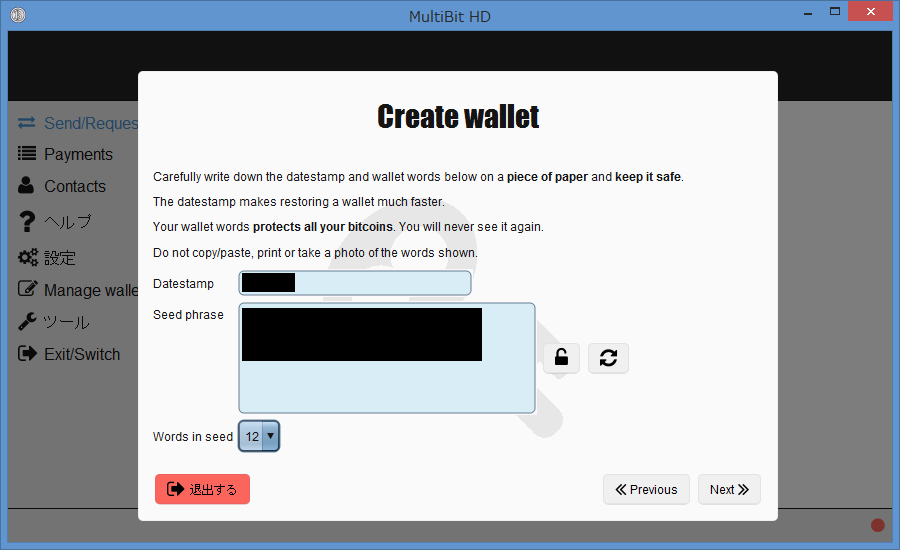
MultiBit Classic and MultiBit HD are discontinued Bitcoin wallets with different storage and recovery routes. Identify the original application and inspect the surviving backup format before choosing a tool.
MultiBit Classic: wallet files and key exports
Classic commonly uses .wallet wallet data and exported .key files. These are not the same format. An export can contain multiple private keys and can be encrypted or unencrypted. A wallet file needs a compatible wallet parser; a procedure for an encrypted key export must not automatically be applied to it.
Keep the associated wallet-data folder and its key-backup, wallet-backup and rolling-backup directories where available. Classic does not have an HD recovery phrase that replaces every original file.
Identify the backup before choosing a recovery method
mbhd.wallet.aes: the primary encrypted HD wallet.rolling-backup/*.wallet.aes: timestamped encrypted wallet snapshots.zip-backup/*.zip.aes: encrypted directory archives that can preserve additional application data.
For the documented software-wallet backup process, the primary wallet and rolling snapshots use password-based encryption; ZIP archives use a backup key derived from wallet words. An application password and wallet words are different recovery inputs. A file extension is a clue, not proof of its contents. A generic wallet.aes.json recipe is not a description of the MultiBit HD primary wallet format.
Wallet words, password and restoration
Preserve the original words in their written order and record the original version if known. Do not identify a wallet solely by word count or assume that every HD wallet has a 13- or 18-word phrase. Keep any wallet date record: it helps choose a synchronization start point, but is not a replacement for the words.
The application password protects local wallet data. It should not automatically be entered into a modern recovery tool’s seed-passphrase field. The reviewed software-wallet creation methods use an empty seed passphrase; hardware-related and historical cases require separate identification.
The source distinguishes a BIP32 software wallet, an older beta implementation and hardware-related types. For the BIP32 software type, the source records the first receiving address at m/0'/0/0; this is not a universal recipe for every version. Verify a previously known address, receiving and change branches, and the search range before treating a zero balance as a failed recovery.
How to tell which case you have
- Record the application name and version from the old installation or notes.
- Keep the full original directory, including related files and dated snapshots.
- Check file contents with a compatible diagnostic method on copies; extensions can be renamed.
- Use a previously known receiving address to verify a proposed restoration.
Recovery limits
A remembered password does not repair every corrupted file. A word list accepted by another wallet does not prove the account path is correct. Password searches require a practical candidate set and suitable encrypted material. After verification, migrate with current wallet instructions rather than relying on discontinued software for ongoing use.
Documentation and further reading
- HD primary wallet, rolling backups and ZIP backups
- Wallet words and verification
- Wallet types, paths and the beta exception
- Original MultiBit HD source at the reviewed revision
Need help with recovery?
Email mail@keychainx.io with the wallet type, approximate date, backup extensions and error message. Describe the problem first; do not send passwords, wallet words, private keys or wallet files in an initial message. KeychainX can assess a wallet you own or are legally authorized to recover. Recovery is not guaranteed.
Technical review: 7 October 2026. Recovery depends on the surviving material and the original wallet version.